How to Choose the Right Certificate Template for Your Needs
Whether you're an educator, a business owner, or a professional looking to showcase your skills, a certificate template can be a powerful tool. But with so many options available, it's easy to make mistakes that could affect the quality, usability, and overall impact of your certificates. Understanding what to look for—and what to avoid—can save you time, money, and frustration.
What Is a Certificate Template?
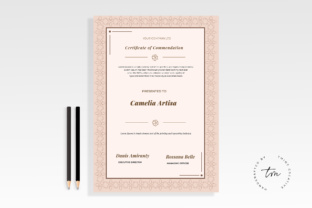
A certificate template is a pre-designed layout that allows you to create professional-looking certificates quickly. These templates are commonly used for academic achievements, training programs, certifications, awards, and more. They often include placeholders for text, logos, and other elements, making it easy to customize them for different purposes.
Many people use certificate templates because they offer a fast and cost-effective way to produce high-quality documents without needing advanced design skills. However, not all templates are created equal, and choosing the wrong one can lead to poor results.
Common Mistakes When Using Certificate Templates
One of the most common mistakes is selecting a template without considering the specific needs of the certificate. For example, using a template designed for a school diploma to create a professional certification may result in a mismatched design that doesn't reflect the intended purpose.
Another frequent error is overlooking the resolution and file format of the template. A low-resolution template can lead to blurry prints, while an incompatible file type might cause issues when trying to edit or share the document. Always check the technical specifications before downloading or purchasing a certificate template.
Ignoring the Importance of Branding
If you're creating a certificate for your business or organization, failing to incorporate branding elements like logos, colors, and fonts can make the certificate look unprofessional. A well-branded certificate reinforces your identity and adds credibility to the achievement being recognized.
For instance, if you run a fitness studio and issue a completion certificate for a yoga class, including your logo and brand colors ensures consistency across all materials. This small detail can make a big difference in how your business is perceived.
How to Avoid Common Pitfalls
To avoid these mistakes, start by defining the purpose of the certificate. Are you issuing it for a course, an award, or a professional development program? Knowing the goal will help you choose a template that aligns with the message you want to convey.
Next, review the template's customization options. Some templates allow for easy editing of text, images, and layouts, while others may be more rigid. Opt for a template that offers flexibility so you can adjust it as needed without compromising the design.
Check for Compatibility and Quality
Before downloading or buying a certificate template, ensure it's compatible with your software. Most templates are available in formats like PDF, Word, or PowerPoint, but some may require specific tools. Also, verify that the template has a high enough resolution (at least 300 DPI) for professional printing.
Consider the source of the template as well. Free templates from reputable websites are often reliable, but be cautious of sites that may include hidden costs or questionable content. Always read reviews and check the licensing terms to avoid legal issues.
Practical Tips for Selecting the Best Certificate Template
Start by browsing trusted platforms that offer a variety of certificate templates. Sites like Canva, Adobe Express, and Microsoft Office provide user-friendly interfaces and a wide selection of designs. These platforms also allow you to preview the template before downloading, which can help you make an informed decision.
When evaluating a template, pay attention to its structure. A good certificate should have clear sections for the recipient's name, the issuer's details, the date, and any additional information. Avoid templates that are too cluttered or difficult to navigate.
Customize with Purpose
Once you've selected a template, take the time to customize it properly. Use legible fonts and appropriate colors that match your branding. Avoid overloading the certificate with unnecessary graphics or text, as this can distract from the main message.
For example, if you're creating a certificate for a workshop, include the title of the event, the instructor's name, and a brief description of the content. Keep the design clean and focused on the key information.
Final Thoughts on Certificate Templates
Choosing the right certificate template is more than just picking a design—it's about ensuring that the final product meets your needs and reflects your standards. By avoiding common mistakes and following practical advice, you can create certificates that are both effective and professional.
Take the time to research, evaluate, and customize your template carefully. The effort you put into this process will pay off in the form of better communication, improved presentation, and greater satisfaction with your work.